
SCRUBBY / Xtrobrush 100
General product specifications:
- USB type-C Charging port
- The battery takes 2.5 hours to fully charge
- Up to 40 minutes operation on a full charge
- Multiple cleaning heads available (sold separately)

Troubleshooting
Problem: The brush stops spinning and shows a red light.
Cause: The motor is overloaded. The movement is blocked.
Solution: Remove the debris that may cause the blockage. Reset the brush by pressing the power button. Do not apply excessive force while cleaning.

Problem: The brush does not start or it turns off after few minutes of use. Shows a flashing green light during operation.
Cause: The battery is discharged.
Solution: Charge the battery until the indicator light turns from Cyan flashing to Cyan solid.


Problem: The brush falls off constantly during operation. Cannot attach the brush to the connector.
Cause: The brush connector is damaged. The brush securing hook is damaged.
Solution: Replace the brush connector or the brush accordingly.
Problem: Brush bristles deformed.
Cause: Brush bristles crushed during shipping.
Solution: Put the bristles in hot water for 10-15 second until the bristles are straighten again.
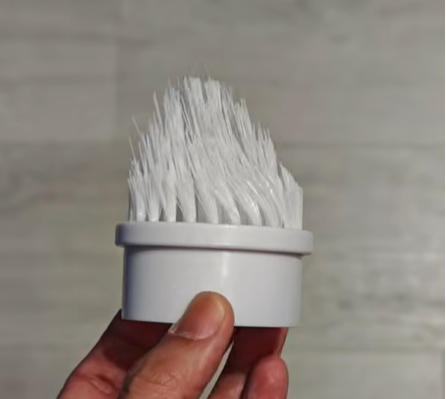
Fix crushed bristles video tutorial
*Troubleshooting instructions for EB001 on all the variants.